
Sunday, March 15, 2026
I Built a Video CI/CD Pipeline — Here's the Architecture
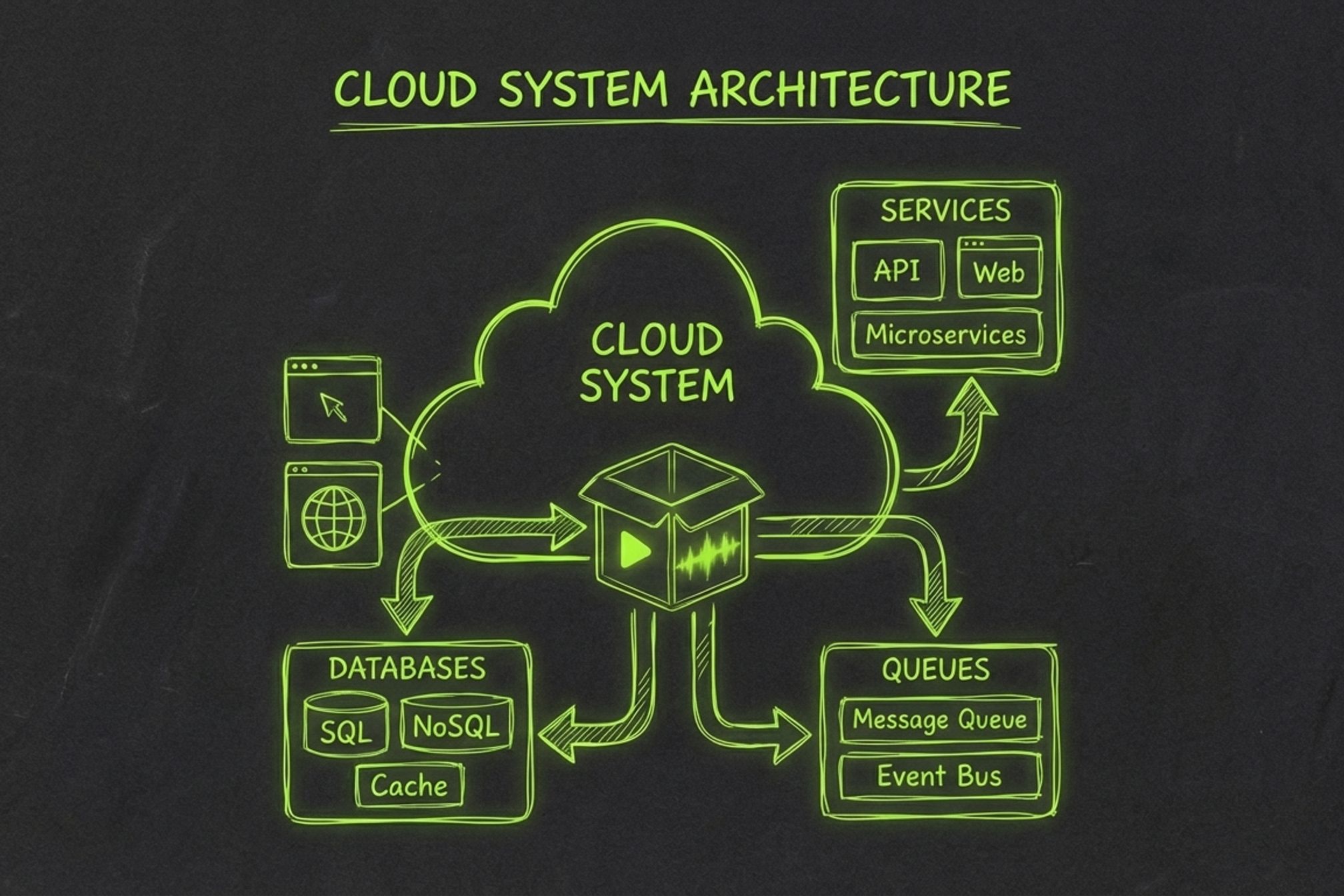
You ship code with CI/CD. You deploy infrastructure with Terraform. You monitor production with observability stacks that would make a NASA engineer nod approvingly.
But you still make videos like it's 2015 — one clip at a time, in a timeline editor, dragging waveforms around with your mouse.
I'm a solo founder building a SaaS product. I need marketing videos, product demos, changelog walkthroughs. Every single one follows the same pattern: record footage, write a script, generate voiceover, edit, add captions, render, write metadata, upload to YouTube. That's 3–4 hours of work per video, and 80% of it is mechanical. The creative decisions are concentrated in about 20 minutes of the process. Everything else is plumbing.
So I built a pipeline that takes raw footage and outputs a scripted, voiced, edited, metadata-optimized, publish-ready video — automatically. Here's how.
## Why Video Needs a Pipeline
CI/CD didn't replace developers. It automated the boring, repeatable parts of shipping software so engineers could focus on writing code. Video production has the exact same problem: repeatable stages, manual handoffs between disconnected tools, and inconsistent outputs that depend on how tired you are at step 7 of 10.
The current landscape of video tools doesn't solve this. OpusClip extracts highlights from long-form content — that's clipping, not production. Descript makes manual editing faster with AI features — that's a better editor, not a pipeline. CapCut gives you templates and effects — that's still a timeline you have to sit in front of.
None of these tools run the _full_ pipeline from raw footage to published video. They each automate one or two stages and leave you as the glue between them.
The insight that unlocked everything: **stage isolation + queue-driven execution = video CI/CD**. Model each production step as an independent, idempotent stage. Connect them with a message queue. Store artifacts in object storage. Track state in a database. Sound familiar? It's the same architecture pattern behind every CI/CD system you've ever used — except the output is an MP4 instead of a Docker image.
## The 8-Stage Pipeline
Here's the production pipeline, modeled as a linear sequence of stages where each stage takes inputs from the previous one and produces artifacts for the next:
<table>
<thead>
<tr>
<th>#</th>
<th>Stage</th>
<th>Input</th>
<th>Output</th>
<th>What Happens</th>
</tr>
</thead>
<tbody>
<tr>
<td>1</td>
<td>**Upload**</td>
<td>Video file</td>
<td>`source.mp4` in R2</td>
<td>Presigned URL upload, SHA-256 dedup, idempotency key</td>
</tr>
<tr>
<td>2</td>
<td>**Analyze**</td>
<td>`source.mp4`</td>
<td>`segments.json`</td>
<td>Vision API detects scenes, extracts structure, maps content</td>
</tr>
<tr>
<td>3</td>
<td>**Script**</td>
<td>`segments.json`</td>
<td>`script.json`</td>
<td>LLM generates a narration script matched to the footage</td>
</tr>
<tr>
<td>4</td>
<td>**Voiceover**</td>
<td>`script.json`</td>
<td>`.mp3` audio</td>
<td>Multi-provider TTS (OpenAI, ElevenLabs), synced to segments</td>
</tr>
<tr>
<td>5</td>
<td>**Edit**</td>
<td>`source.mp4` + script</td>
<td>`edited.mp4`</td>
<td>Smart cuts, caption burn-in via FFmpeg + ASS subtitles</td>
</tr>
<tr>
<td>6</td>
<td>**Render**</td>
<td>`edited.mp4` + audio</td>
<td>`final.mp4`</td>
<td>Audio mux, sync modes, trim/pad to match voiceover length</td>
</tr>
<tr>
<td>7</td>
<td>**Metadata**</td>
<td>`script.json`</td>
<td>`metadata.json`</td>
<td>LLM generates SEO-optimized title, description, tags, chapters</td>
</tr>
<tr>
<td>8</td>
<td>**Publish**</td>
<td>`final.mp4` + `metadata.json`</td>
<td>YouTube URL</td>
<td>Direct upload via YouTube Data API</td>
</tr>
</tbody>
</table>
Three more stages — **Animate** (motion graphics), **Captions** (styled sidecar subtitles), and **Thumbnail** (key-frame extraction) — are on the roadmap. The architecture supports them without changes to the orchestration layer. You add a new handler, insert it into the stage sequence, and the pipeline picks it up.
The key design principle: **each stage is independent, idempotent, and replaceable**. If voiceover breaks, you don't re-run analysis. If you want to swap Claude for GPT-4 in the script stage, you change one provider config. The pipeline doesn't care.
Here's how the stage sequence is defined in the worker:
```python
class StageName(str, Enum):
ANALYZE = "analyze"
SCRIPT = "script"
VOICEOVER = "voiceover"
EDIT = "edit"
RENDER = "render"
METADATA = "metadata"
PUBLISH = "publish"
STAGE_SEQUENCE: tuple[StageName, ...] = (
StageName.ANALYZE,
StageName.SCRIPT,
StageName.VOICEOVER,
StageName.EDIT,
StageName.RENDER,
StageName.METADATA,
StageName.PUBLISH,
)
def next_stage(stage: StageName) -> StageName | None:
idx = stage_rank(stage)
if idx < 0 or idx + 1 >= len(STAGE_SEQUENCE):
return None
return STAGE_SEQUENCE[idx + 1]
```
Adding a new stage to the pipeline is a three-step process: define the enum value, write the handler function, and insert it into `STAGE_SEQUENCE`. The orchestrator handles the rest.
## The Architecture
The stack is optimized for a solo developer shipping a production SaaS: managed services everywhere, scale-to-zero by default, and no infrastructure to babysit.
```
Next.js 16 (Vercel)
→ FastAPI (Railway)
→ PGMQ (Neon Postgres)
→ Worker (Modal)
→ R2 (Cloudflare)
→ Neon (Postgres)
```
**Why this stack:**
- **PGMQ for orchestration.** Postgres Message Queue lives inside the same Neon database that tracks job state. One data store, one source of truth, zero eventual-consistency headaches. Messages get visibility timeouts, retry semantics, and dead-letter behavior — all backed by battle-tested Postgres transactions.
- **Modal for compute.** Serverless containers that spin up per-stage, run the handler, and shut down. No idle servers. Each stage gets its own compute environment with exactly the dependencies it needs — FFmpeg for edit/render, AI SDKs for analyze/script/voiceover.
- **R2 for artifacts.** S3-compatible object storage with zero egress fees. When you're shuffling multi-gigabyte video files between stages, egress pricing isn't a line item — it's an architectural constraint. R2 removes it.
- **Neon for state.** Managed Postgres with branching. Every table uses Row-Level Security scoped to `tenant_id`, so multi-tenancy is enforced at the database layer, not in application code.
### How a Job Flows
When a user uploads a video, here's the exact sequence:
1. **Init upload** — The API generates a presigned PUT URL pointing to R2. The client uploads directly to storage, bypassing the API server entirely. A SHA-256 hash deduplicates re-uploads within the same tenant.
2. **Finalize upload** — The client confirms the upload. The API creates a job row in Postgres, sets the status to `queued`, and enqueues the first stage message via PGMQ:
```sql
SELECT pgmq.send('pipeline_stages', jsonb_build_object(
'version', 1,
'tenant_id', 't_abc123',
'job_id', 42,
'stage', 'analyze',
'trigger', 'upload_finalized'
));
```
3. **Worker dequeues** — The `WorkerDispatcher` polls PGMQ, validates the message against the Pydantic schema, and checks that the job is still in a runnable state (not already done, failed, or paused for review).
4. **Execute stage** — The dispatcher downloads required input artifacts from R2 into a local work directory, calls the stage handler, and gets back a `StageResult`:
```python
class StageResult(BaseModel):
status: StageResultStatus # success | retryable_error | fatal_error
artifact_local_path: Path | None = None
artifact_content_type: str | None = None
artifact_metadata: dict[str, Any] = Field(default_factory=dict)
job_patch: dict[str, Any] = Field(default_factory=dict)
error_message: str | None = None
```
5. **Handle result** — On success: upload the output artifact to R2, upsert the artifact row in Postgres, emit a `stage_completed` event, and enqueue the next stage. On retryable error: ack the current message and requeue with exponential backoff. On fatal error: mark the job as failed.
6. **Repeat** until the publish stage completes and the video is live on YouTube.
Every stage transition is recorded in an immutable `job_events` table — `stage_enqueued`, `stage_completed`, `stage_failed`, `stage_retry_scheduled`. This gives you a full audit trail for debugging: when did analyze start, how long did it take, what was the retry count on voiceover, why did render fail on attempt 3.
### Error Handling
The retry system distinguishes between two failure modes:
- **Retryable errors** — transient failures like API timeouts, rate limits, or GPU preemption. The message is requeued with exponential backoff:
```python
def compute_retry_delay(*, attempt: int, base_seconds: int) -> int:
return int(base_seconds * (2 ** max(0, attempt - 1)))
```
Attempt 1 retries after `base_seconds`, attempt 2 after `2×`, attempt 3 after `4×`. If all attempts are exhausted, the job fails permanently.
- **Fatal errors** — missing artifacts, invalid configuration, unsupported formats. No retry. The job fails immediately with a descriptive error message.
PGMQ's visibility timeout adds a third safety net: if a worker crashes mid-stage without acking or requeuing, the message automatically becomes visible again after the timeout expires (default: 120 seconds). Another worker picks it up. No orphaned jobs.
## Two Modes — Autopilot and Manual Control
The best CI/CD systems have both `auto-merge` and manual approval gates. The pipeline works the same way.
**Autopilot mode** is the default. Upload raw footage, the full pipeline executes, and you get a published video on the other end. No intervention required. This is for batch work: upload 5 raw recordings Sunday night, wake up to 5 publish-ready videos Monday morning.
**Advanced mode** adds a review checkpoint after the script stage. The pipeline pauses, sets the job status to `needs_review`, and waits for you to edit the generated script segment-by-segment in the web UI. When you're happy with the script, click "Continue to Voiceover" and only the downstream stages re-run — voiceover, edit, render, metadata, publish. Analyze and script artifacts are preserved.
The mode is controlled per-video via `job_settings`:
```python
def _should_pause_after_stage(self, *, job_id: int, stage: StageName) -> bool:
if stage != StageName.SCRIPT:
return False
settings = self.db.find_job_settings_for_job(job_id=job_id) or {}
return str(settings.get("script_mode", "autopilot")) == "review_before_tts"
```
This is one of the most important architectural decisions. A fully autonomous pipeline is great for high-volume work. But for sponsor integrations, brand-critical content, or anything where you need to tweak a single line of narration — you want surgical control without re-running 45 minutes of upstream processing.
The rerun system supports this natively. When you trigger a rerun from a specific stage, the API deletes only downstream artifacts and enqueues a new stage message. Everything upstream is untouched. Changed one word in the script? The pipeline re-runs voiceover → edit → render → metadata → publish. Analysis stays cached. That's the power of stage isolation.
## What I Learned Building This
**Stage isolation is everything.** Early on, I tried passing data between stages through shared memory. It was faster, but when voiceover failed, the entire pipeline had to restart from scratch. Moving to isolated stages with artifacts in R2 added a few seconds of latency per stage but made the system dramatically more resilient. Every stage is independently retriable. Every artifact is independently inspectable. The debugging experience went from "something broke somewhere" to "voiceover failed on attempt 2 because ElevenLabs returned a 429 — retrying in 8 seconds."
**Provider abstraction pays off immediately.** The LLM and TTS landscapes change fast. In the three months I've been building this, I've swapped the default script provider twice (GPT-4o → Claude 3.5 Sonnet → Claude 3.7 Sonnet) and added ElevenLabs alongside OpenAI TTS. Because each stage takes a `provider` config and the handler abstracts the API call behind a common interface, these swaps are config changes, not refactors. No pipeline logic touched.
**Video files are big — plan for it.** A 10-minute screen recording is 200–500 MB. Multiply by 8 stages of artifacts and you're looking at several gigabytes per job. Presigned uploads that bypass the API server are not optional — they're an architectural requirement. R2's zero-egress pricing is not a nice-to-have — it's the reason inter-stage artifact transfers don't blow up the bill. Lesson: when your pipeline's primary data type is measured in gigabytes, storage architecture is the first thing you design, not the last.
**The "last mile" is underestimated.** Everyone focuses on the glamorous stages — AI analysis, script generation, voiceover synthesis. But metadata and publishing are where videos succeed or fail. A great video with a generic title, no tags, and a blank description is invisible. The metadata stage generates SEO-optimized titles, keyword-rich descriptions, chapter markers, and tag sets — all derived from the script and content analysis. It takes 3 seconds to run and has more impact on video performance than any other stage.
**Postgres is your friend.** Job state, stage runs, artifacts, events, idempotency keys, settings, queue messages — all in one Postgres instance. No Redis for queuing, no DynamoDB for state, no separate event store. PGMQ gives you message queue semantics inside Postgres transactions. When a stage completes, the artifact upsert, event insert, and next-stage enqueue all happen atomically. One data store. One backup strategy. One connection string.
## Try It
[Outbox.run](https://outbox.run) is live. You can run the full pipeline today — upload raw footage, get back a published video.
If you're building something similar, I'd love to hear about your architecture. The video tooling space is wide open for developer-friendly infrastructure. Find me on [X](https://x.com/laserjm) — I'm building this in public, and the DMs are open.