
Sunday, March 29, 2026
Outbox vs. OpusClip vs. Descript: Which Video Automation Tool Actually Replaces Your Workflow?
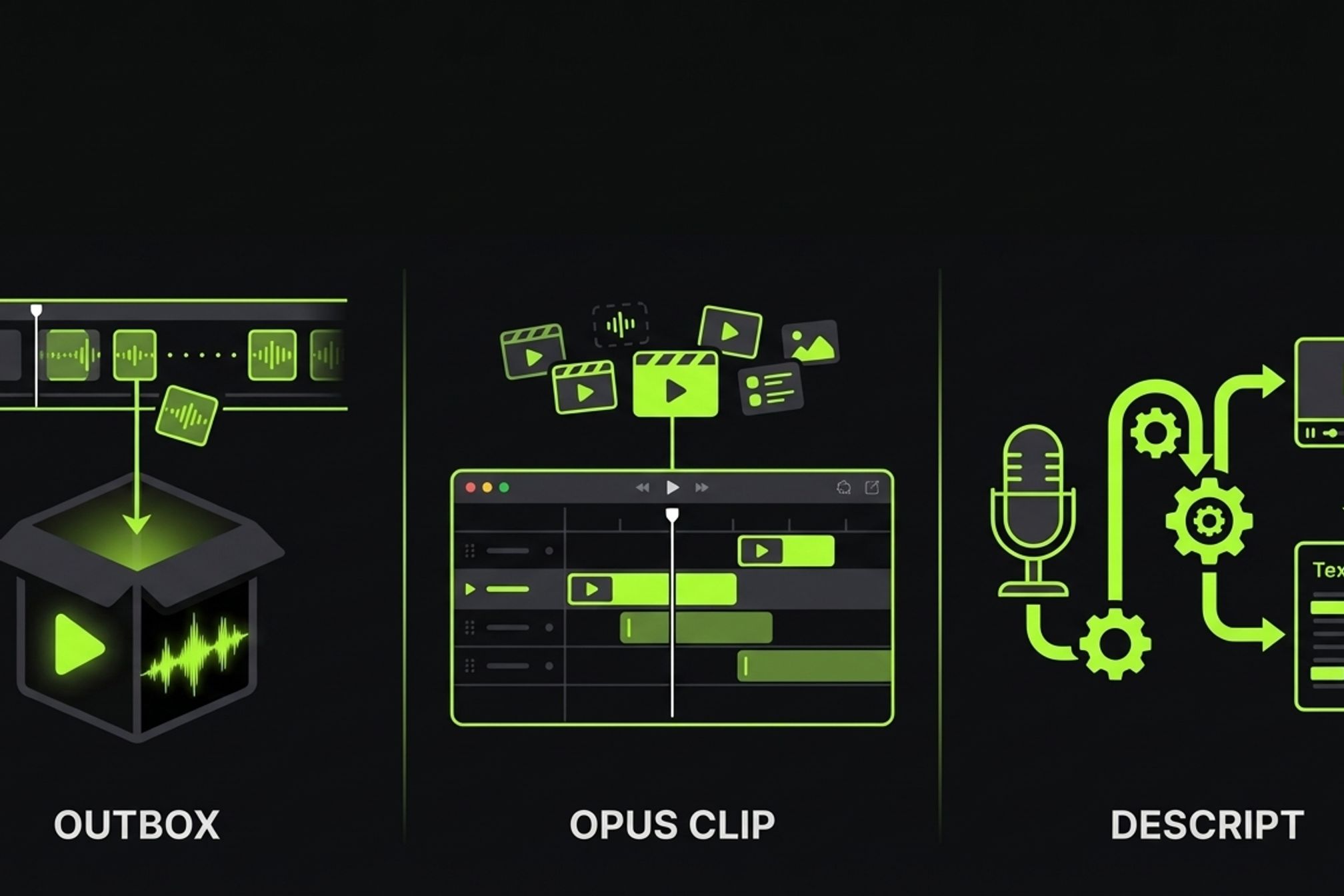
OpusClip has over 16 million users. Descript redefined video editing by turning it into text editing. Both are excellent products — at what they do.
But here's the question nobody asks: _what don't they do?_
If you're searching for an "OpusClip alternative" or a "Descript alternative," you've probably hit a wall. OpusClip clipped your highlights beautifully, but you still spent two hours writing a script, generating voiceover, editing the full video, and uploading it to YouTube. Descript made your editing faster, but you're still sitting in a timeline, still manually exporting, still hand-typing metadata at 11pm.
This isn't a "we're better" hit piece. These tools solve different problems. They occupy different product categories entirely. This guide helps you understand those categories and pick the right tool for _your_ workflow — or combine them.
The short version: **if you need clipping, use OpusClip. If you need a manual editor with AI shortcuts, use Descript. If you need a full production pipeline from raw footage to published video, that's where Outbox.run comes in.**
## The Three Categories of Video Automation
The "video automation" market is not one market. It's three distinct categories that happen to share a label.
| Category | What It Does | Who It's For | Example Tools |
|---|---|---|---|
| **Clipping tools** | Extract highlights from long-form video | Podcasters, repurposers, social media managers | OpusClip, Wisecut, Vizard |
| **AI-assisted editors** | Manual editing with AI-powered shortcuts | Editors, content teams, podcasters | Descript, CapCut, Riverside |
| **Production pipelines** | Automated end-to-end video production | Developers, faceless channel operators | Outbox.run |
These aren't competitors fighting over the same feature set. They're different product categories solving different problems at different points in the workflow.
Clipping tools work _after_ you already have a finished long-form video. They extract the best moments. AI-assisted editors speed up the manual editing process — you still sit in a timeline, but the AI handles the tedious parts. Production pipelines replace the entire production workflow — from raw footage to published, SEO-optimized video — with an automated system.
The confusion happens because all three categories use "AI video automation" in their marketing. But if you're a faceless channel operator or a developer who needs to go from raw footage to a published video, a clipping tool and an editor still leave you doing 80% of the work manually. They automate different stages than the ones eating your time.
## OpusClip — What It Does and What It Doesn't
OpusClip is the market leader in AI-powered clip extraction, and it earned that position. If you record long-form content — podcasts, webinars, livestreams, interviews — and need short-form clips for TikTok, Reels, and Shorts, OpusClip is probably the best tool available.
**What OpusClip does well:**
- **Best-in-class clip extraction.** ClipAnything works across genres — not just talking-head podcasts. Gaming, tutorials, vlogs, interviews. The multimodal AI analyzes visual content, audio, and sentiment simultaneously to find the most engaging moments.
- **Smart reframing.** Automatically reframes horizontally shot video into 9:16 for vertical platforms. Tracks speakers, focuses on the active area, handles multi-person shots.
- **Caption templates.** Styled, animated captions with brand templates you can save and reuse across clips.
- **Volume at speed.** Feed it a 1-hour podcast and get 20 clips ranked by "virality score" in minutes.
**What OpusClip doesn't do:**
- No script generation from content analysis
- No voiceover or TTS
- No automated video editing (it _extracts_ clips — it doesn't _construct_ new videos)
- No SEO metadata generation for YouTube
- No direct YouTube publishing workflow
- No stage-based reruns — if something's wrong, you regenerate from scratch
OpusClip is the best tool for turning a 1-hour podcast into 20 short-form clips. It's not designed to take raw footage and produce a complete, scripted, narrated video from it. If your workflow is "record long → clip short → distribute," OpusClip is unbeatable. If your workflow is "raw footage → finished video → published," it doesn't cover the pipeline.
**Pricing:** Free tier with limited exports. Pro plans start around $15–40/month depending on the tier and billing cycle.
## Descript — What It Does and What It Doesn't
Descript's core innovation is elegant: edit video by editing text. Change a word in the transcript and the video edit happens automatically. It's the closest thing to a word processor for video, and for certain workflows it's transformative.
**What Descript does well:**
- **Text-based video editing.** Edit the transcript, and the video follows. Delete a sentence, and the corresponding video segment is removed. It's intuitive in a way timeline editors never are.
- **Filler word and silence removal.** One click to remove every "um," "uh," and awkward pause. This alone saves podcasters hours per episode.
- **AI voice cloning (Overdub).** Clone your voice from a small sample and generate new audio that sounds like you. Useful for fixing mistakes without re-recording.
- **Built-in screen recording.** Record, transcribe, and edit in the same application. No exporting between tools.
- **Transcription and caption export.** Accurate transcription with speaker labels. Export as SRT, VTT, or burned-in captions.
**What Descript doesn't do:**
- No automated production pipeline — you still manually edit every video
- No script generation from content analysis (it transcribes what you said — it doesn't write what you should say)
- No automated voiceover from generated scripts (Overdub clones your voice for corrections, not for narrating new scripts)
- No SEO metadata generation
- No YouTube publishing automation
- No stage isolation or partial reruns — every edit requires a full re-export
Descript makes manual editing dramatically faster. It doesn't make it unnecessary. You're still the one deciding what to cut, what to keep, how to structure the narrative. The AI assists your decisions — it doesn't make them for you.
If you're a podcaster or talking-head creator who spends 2 hours post-producing each episode, Descript can cut that to 45 minutes. That's impressive. But you're still spending 45 minutes per video, and that time scales linearly with output. Five videos a week means 3.75 hours of editing.
**Pricing:** Free tier with limited transcription hours. Pro starts around $24/month.
## Outbox.run — What It Does and What It Doesn't
Outbox is a different category of tool. It's not an editor you sit in. It's a production pipeline you feed footage into.
**What Outbox.run does:**
- **Full 8-stage production pipeline.** Analyze → Script → Voiceover → Edit → Render → Metadata → Publish — each stage runs automatically, passing artifacts to the next.
- **Two operational modes.** Autopilot runs the full pipeline without intervention. Advanced mode pauses after the script stage so you can edit before voiceover and downstream stages run.
- **Stage isolation and reruns.** Change one word in the script? Re-run only voiceover → edit → render → metadata → publish. Analysis stays cached. No full re-render.
- **Content-aware scripting.** The pipeline analyzes your _actual footage_ — scene detection, content extraction, structure mapping — before generating a script matched to what's on screen.
- **Multi-provider TTS.** OpenAI and ElevenLabs voices, synced to the frame, matched to scene pacing.
- **SEO metadata generation.** Title, description, tags, and chapter markers generated from the script and content analysis — not an afterthought, a dedicated pipeline stage.
- **Direct YouTube publishing.** Upload, scheduling, and metadata — straight from the pipeline.
- **API access.** Programmatic workflows for developers who want to trigger pipeline runs from their own systems.
- **Artifact persistence and revision history.** Every stage output is saved. Compare script revision 1 with revision 3. Inspect any intermediate artifact. Version control for video.
**What Outbox.run doesn't do — and we're honest about it:**
- **Not a clipping tool.** It doesn't extract highlights from long-form video. That's a different problem.
- **No timeline UI.** There's no manual editor. You don't drag clips on a timeline. If you want frame-level manual control, Descript or DaVinci Resolve are better choices.
- **Some stages are still in development.** Animate (motion graphics), Captions (styled burn-in), and Thumbnail (auto-generation from key frames) are on the roadmap — not live yet. Captions are currently handled within the Edit stage via basic subtitle burn-in.
- **YouTube-focused today.** Multi-platform repurposing (Shorts, Reels, TikTok) is coming but not yet available.
Outbox is the tool you use _instead of_ a production workflow, not one that makes your existing workflow faster. If your current process involves six disconnected tools and 3–4 hours per video, the pipeline replaces that entire process with an upload and a few minutes of processing.
**Pricing:** Starter is free — 3 videos per month at 720p with watermark. Pro is €19/month for 30 videos at 1080p with API access and YouTube publishing. Scale is €49/month for unlimited videos at 4K with multi-channel support and custom voice profiles.
## The Full Feature Comparison
Here's the expanded comparison across all three tools. This covers not just what each tool can do, but the capabilities that matter when you're evaluating whether a tool actually replaces your production workflow — or just speeds up one piece of it.
<table>
<thead>
<tr>
<th>Capability</th>
<th>OpusClip</th>
<th>Descript</th>
<th>Outbox.run</th>
</tr>
</thead>
<tbody>
<tr>
<td>Clip extraction from long video</td>
<td>✅ Best-in-class</td>
<td>✕</td>
<td>✕ (not its purpose)</td>
</tr>
<tr>
<td>Text-based manual editing</td>
<td>✕</td>
<td>✅ Best-in-class</td>
<td>✕ (not its purpose)</td>
</tr>
<tr>
<td>Content analysis (scene detection)</td>
<td>✅</td>
<td>✕</td>
<td>✅</td>
</tr>
<tr>
<td>Script generation from footage</td>
<td>✕</td>
<td>✕</td>
<td>✅</td>
</tr>
<tr>
<td>AI voiceover + frame sync</td>
<td>✕</td>
<td>Partial (Overdub for corrections)</td>
<td>✅</td>
</tr>
<tr>
<td>Automated video editing</td>
<td>✕</td>
<td>✕ (manual with AI assists)</td>
<td>✅</td>
</tr>
<tr>
<td>Caption generation</td>
<td>✅</td>
<td>✅</td>
<td>✅ (roadmap: styled burn-in)</td>
</tr>
<tr>
<td>Thumbnail generation</td>
<td>✕</td>
<td>✕</td>
<td>✅ (roadmap)</td>
</tr>
<tr>
<td>SEO metadata generation</td>
<td>✕</td>
<td>✕</td>
<td>✅</td>
</tr>
<tr>
<td>Direct YouTube publishing</td>
<td>✕</td>
<td>✕</td>
<td>✅</td>
</tr>
<tr>
<td>Multi-platform repurposing</td>
<td>✕ (reframing only)</td>
<td>✕</td>
<td>✅ (roadmap)</td>
</tr>
<tr>
<td>Stage-level reruns</td>
<td>✕</td>
<td>✕</td>
<td>✅</td>
</tr>
<tr>
<td>API access</td>
<td>Pro/Enterprise only</td>
<td>✕</td>
<td>✅ (Pro+)</td>
</tr>
<tr>
<td>Revision history / artifact lineage</td>
<td>✕</td>
<td>✕</td>
<td>✅</td>
</tr>
<tr>
<td>No timeline required</td>
<td>✅</td>
<td>✕ (has timeline)</td>
<td>✅</td>
</tr>
<tr>
<td>Filler word / silence removal</td>
<td>✕</td>
<td>✅</td>
<td>✕</td>
</tr>
<tr>
<td>Voice cloning</td>
<td>✕</td>
<td>✅ (Overdub)</td>
<td>✕</td>
</tr>
<tr>
<td>Built-in screen recording</td>
<td>✕</td>
<td>✅</td>
<td>✕</td>
</tr>
<tr>
<td>Batch production (upload 5, get 5 videos)</td>
<td>✅ (clips)</td>
<td>✕</td>
<td>✅ (full videos)</td>
</tr>
</tbody>
</table>
The pattern is clear. Each tool dominates its own category and has gaps in the others. That's not a flaw — it's a reflection of different design philosophies. OpusClip is optimized for extraction. Descript is optimized for editing. Outbox is optimized for end-to-end production.
## Which One Should You Use?
Skip the feature matrix and answer one question: **where does your workflow break down?**
### Use OpusClip if:
- You have long-form content (podcasts, webinars, livestreams) and need short-form clips
- Your workflow is: record long → clip short → distribute across social platforms
- You want brand-templated clips at volume — 20 clips from one recording, formatted for TikTok, Reels, and Shorts
- You already have a finished video and want to maximize its distribution
OpusClip is the right tool when the raw content already exists as a polished long-form video. It's a distribution multiplier, not a production tool.
### Use Descript if:
- You manually edit videos and want AI to speed up the tedious parts
- You do significant podcast or talking-head post-production
- You need voice cloning for fixing mistakes without re-recording
- You want a timeline with AI superpowers — text-based editing, automatic filler removal, built-in transcription
- You value frame-level creative control over your edits
Descript is the right tool when you want to stay in the editing seat but move faster. The AI assists your decisions — cuts, arrangement, pacing — rather than making them for you.
### Use Outbox.run if:
- You have raw footage and need a finished, publish-ready video with zero editing
- You run a faceless YouTube channel and want to automate the entire production workflow — script, voiceover, edit, metadata, publish
- You're a developer who wants API access to a video production pipeline — trigger runs programmatically, integrate with your own systems
- You want to change one thing and re-run only what's downstream, not re-render from scratch
- Your bottleneck isn't editing speed — it's the entire production process across six disconnected tools
Outbox is the right tool when you don't want to edit at all. You want a system that takes raw footage and outputs a published video.
### Use multiple tools together:
There's nothing stopping you from combining them. OpusClip to clip highlights from a livestream. Those clips fed into Outbox to produce full narrated videos with scripts, voiceover, and SEO metadata. Or Descript for your premium, manually-crafted videos and Outbox for your daily automated output.
The tools complement each other precisely _because_ they solve different problems. "OpusClip or Outbox?" is the wrong question. "OpusClip for clipping, Outbox for production" is a workflow that covers more ground than either tool alone.
## The Honest Bottom Line
The best tool is the one that eliminates _your_ bottleneck.
If your bottleneck is extracting short clips from long content, **OpusClip is unbeatable**. It does one thing better than anyone else and has 16 million users to prove it.
If your bottleneck is editing speed and you want AI to handle the tedious parts while you keep creative control, **Descript is excellent**. Text-based editing is a genuinely better paradigm for certain workflows.
If your bottleneck is the _entire production pipeline_ — from raw footage to scripted, voiced, edited, metadata-optimized, published video — and you're tired of being the glue between six disconnected tools, **that's the problem Outbox.run was built to solve.**
We're newer. We're smaller. We don't have 16 million users. What we have is a pipeline that turns an upload into a published video without you touching a timeline, and we're honest about what's live and what's still on the [roadmap](/blog/video-ci-cd-pipeline-architecture).
If you're curious how the pipeline works under the hood — the stage architecture, the queue-driven orchestration, the artifact system — read the [technical deep dive](/blog/video-ci-cd-pipeline-architecture). If you're a faceless channel operator and want the practical guide on replacing your manual workflow, start with the [complete production pipeline guide](/blog/automate-faceless-youtube-channel-production-pipeline).
Or just try it. [Outbox.run](https://outbox.run) — 3 videos per month, free, no credit card.